Vector Overflow (Stage 20) is the first stage where doing nothing isn't safe and locking everything isn't safe either. Lines you draw stay on the dish until you purge them, and the saturation meter climbs until the radar overloads. Understanding the meter is the entire stage.
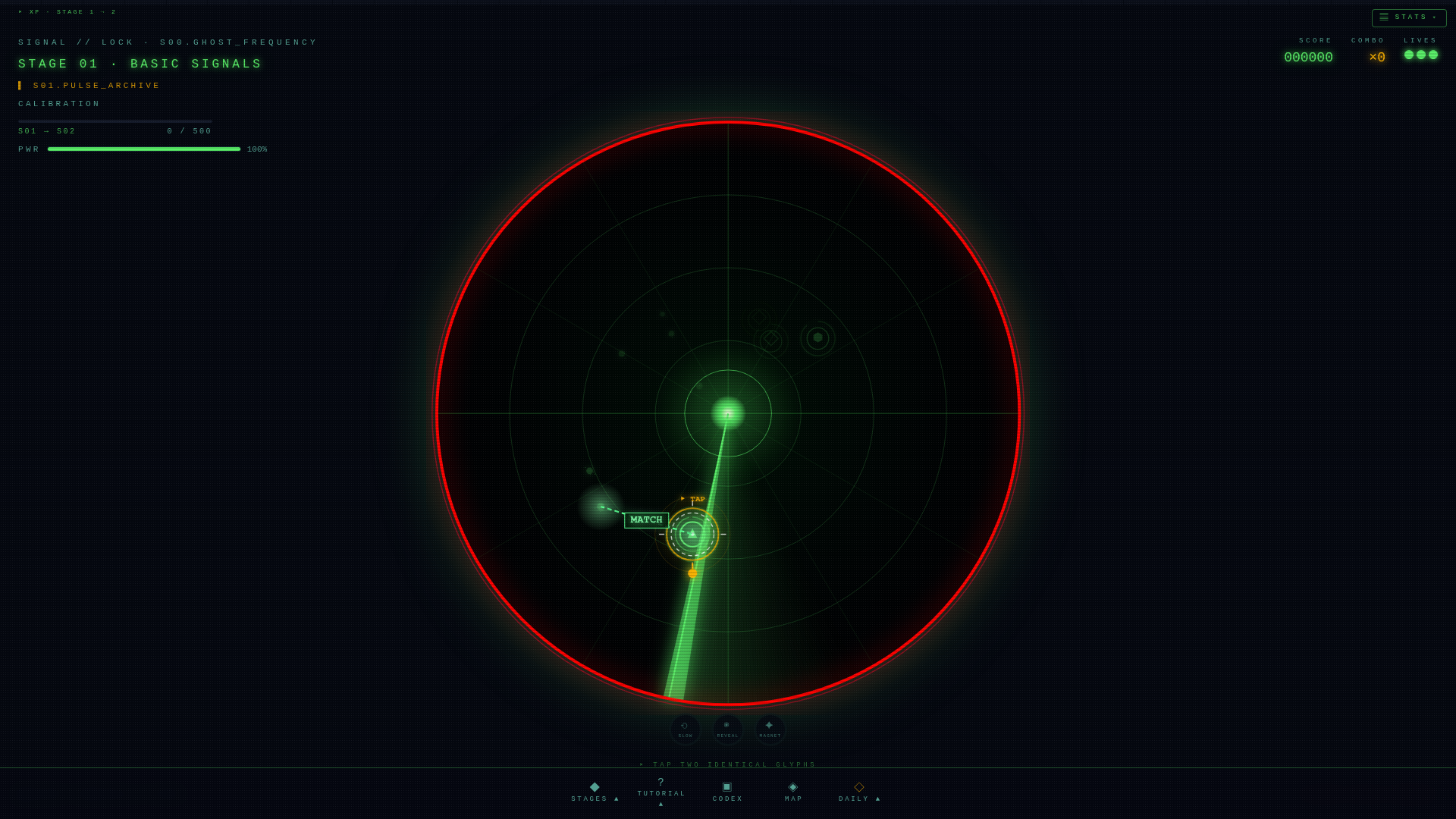
The saturation meter, explained
The bar at the top of the screen has four tiers:
- Below 50% — nominal. Play normally.
- 50–70% — caution. Stop locking opportunistically. Only take pairs that complete a color streak.
- 70–85% — warning. The vignette tints amber. Triage: ignore single-color pairs, hunt streaks.
- 85% + — critical. The screen pulses red. You have one or two pairs of grace before the dish overloads.
The color-streak purge
This is the single most important mechanic on this stage. When you lock three matched-color pairs in a row, the entire radar purges with an accent flash. The saturation meter drops by a meaningful chunk. Without this purge, the stage is unwinnable on a long enough timeline.
Practically: once you see a color streak counter at ×2, your only priority is finding a third pair of the same color. Skip pairs of other colors even if they're easy. A relief flash is worth more than two normal locks.
Priority hierarchy
About 28% of pairs spawn with priority markers in vector overflow. Locking them in the wrong order incurs a wrong-order penalty — extra saturation. Read the marker before you tap. If you can't see the order glyph clearly, leave the pair alone; the penalty is worse than the miss.
Common mistakes
- Locking everything you see. Each lock leaves a line on the dish. Lines stay. You're filling the bar yourself.
- Ignoring the streak counter. A ×2 streak is a contract — you've committed to a third pair of that color. Breaking it wastes the combo.
- Panicking at 85%. Critical tier looks scary but gives you 1–2 free pairs before overload. One color streak from there resets the whole stage.
A clean run, in five steps
- Spawn at 0% saturation. Lock anything you see for the first eight seconds.
- At 40–50% saturation, switch to color-streak mode. Pick a color, hunt three.
- Trigger a purge. Saturation drops to roughly 30%. Repeat.
- If the meter stalls between 60–85%, hunt a streak even if it means skipping pairs.
- At critical, do not tap fast. Tap correctly. One streak resets the bar.
More guides
- Full mechanics guide — every overlay and HUD element explained.
- All stages — rule sets for every public stage.
- Open the radar — practice the run.
What "overflow" means for a vector display
Real vector monitors had a per-frame line budget. The electron beam could only draw so many vectors before the next refresh, and exceeding the budget caused visible flicker as some lines were skipped each frame. Game developers in the early 1980s learned to ration vectors — Asteroids capped active fragments precisely because the cabinet could not draw more. Signal//Lock's Vector Overflow stage simulates the failure mode as a deliberate mechanic: lines persist on screen, accumulate, and visually saturate the dish.
Mechanically, every missed lock leaves a persistent vector segment that decays over 2-3 seconds. A clean run leaves the dish readable; a sloppy run leaves it a blur of overlapping lines, and the difficulty curve is entirely self-inflicted. The stage is the most teaching-focused in the roster: it punishes over-locking visibly rather than abstractly.
How it rewards restraint
Most stages reward the player who locks aggressively — every clear lock removes saturation, so the more you lock the safer you are. Vector Overflow inverts the incentive: every miss adds permanent clutter, every miss makes the next decision harder, and the player who skips low-confidence locks ends the stage with a cleaner dish. Players who carry an aggressive habit from earlier stages have to consciously suppress it; players new to the game often find Vector Overflow easier than veterans for exactly this reason.