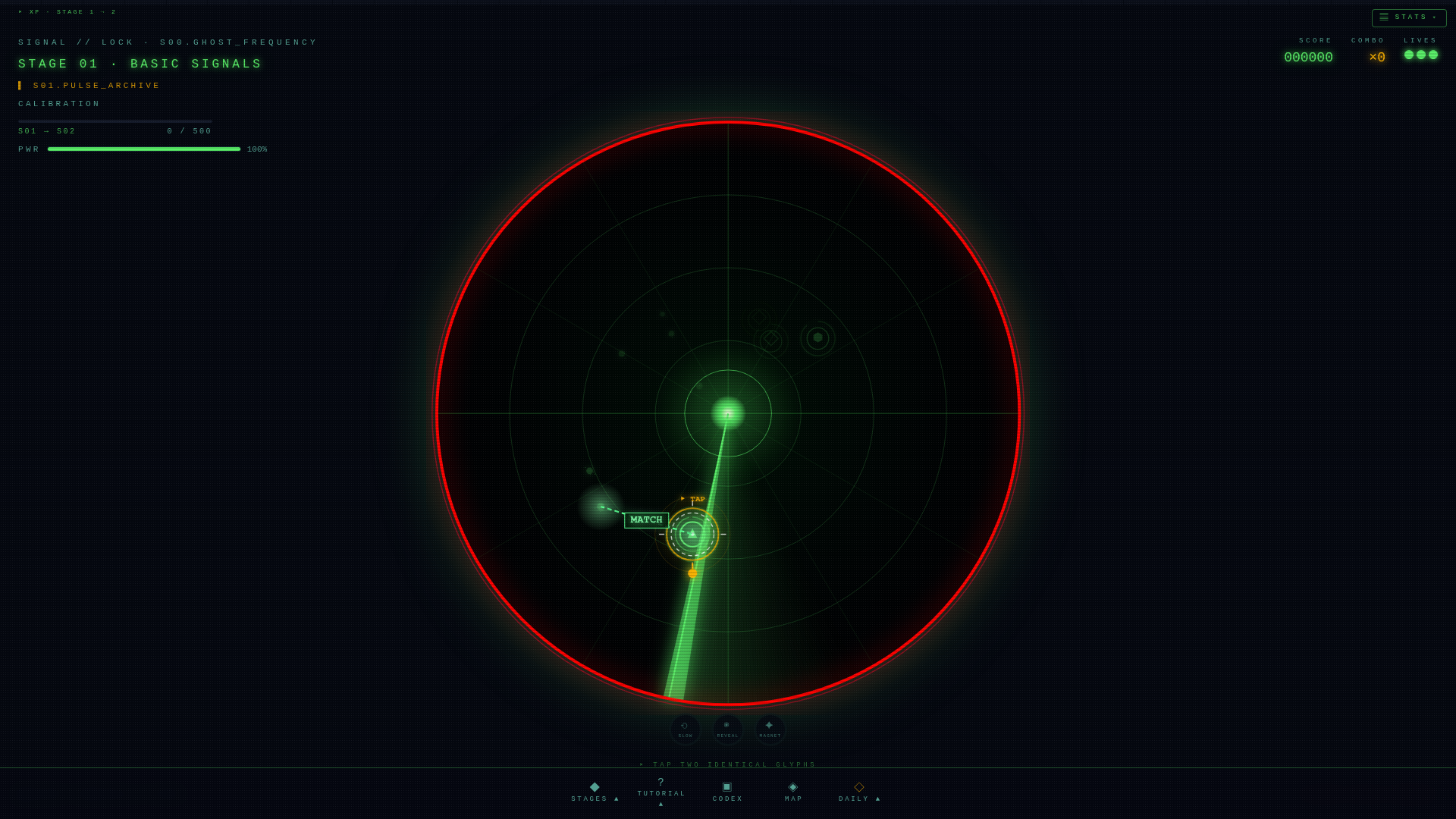
Vector Field (Stage 19) introduces directional beams: each lock draws a line that points toward the next likely spawn. The line's brightness tells you how confident the prediction is, the underlay glow tells you how hot that quadrant currently is. Most first-time players treat the beams as visual noise and miss the entire mechanic.
How to read a beam
- Direction. Beams point from your last lock toward the predicted spawn. Watch where they end, not where they start.
- Core brightness. A bright sharp core means a high-confidence prediction. A faint core means the field is uncertain — wait for the sweep.
- Underlay glow. The wide soft underlay marks how saturated that quadrant is. A heavy underlay means contacts there will decay faster — prioritize.
Position your eyes, not your fingers
The instinct on Vector Field is to chase contacts with your tap finger. Don't. Move your gaze to the beam endpoint between sweeps so you're already looking at the spawn when it appears. The tap becomes confirmation, not search. Players who do this consistently clear the stage twice as fast.
Streak management on a directional stage
Color streaks still trigger purges in Vector Field, but the field biases the next spawn toward your streak color. Once you're at ×2 on a color, the field genuinely wants to give you the third. Hold the streak — don't take an off-color lock just because it's nearer.
Common mistakes
- Treating beams as decoration. They are the minimap. Ignoring them is playing the stage blind.
- Chasing low-confidence beams. A faint core can mislead. Wait one sweep before committing.
- Tapping in the wrong order. Vector field sometimes spawns priority pairs. Wrong-order locks add a saturation penalty.
A clean run, in five steps
- First lock — anything matched. You're seeding the field.
- Second lock onward — track the brightest beam, look at its endpoint.
- At ×2 streak, hold for the third pair. The field is helping you.
- On purge, the field resets. Treat the next lock as a fresh seed.
- If saturation passes 70%, ignore beams and hunt the nearest streak color.
More guides
- Vector overflow (Stage 20) — the next step up.
- Kinetic (Stage 11)
- About vector arcade mode
- Open the radar
What a vector field actually is
A vector field assigns a vector — magnitude and direction — to every point in a region of space. Wind maps are vector fields. Magnetic field lines are vector fields. Fluid flow is a vector field. In Signal//Lock, the playfield during vector-field stages is treated as a continuous vector field that perturbs contact motion: a contact moving through a "high" region accelerates, a contact moving through a "low" region decelerates, and the field itself is visualised faintly so the player can read it.
The mathematical machinery — divergence, curl, line integrals — is not surfaced to the player. What matters is the intuition: contacts don't move in straight lines; they curve along the field. The player who internalises the field reads contact paths as curves; the player who treats them as straight lines consistently misjudges where to lock.
Visualisation choices
Vector fields are notoriously hard to visualise. Signal//Lock uses a sparse approach: faint streamlines that trace the field direction at low intensity, plus the contact trails themselves which curve naturally along the field. The combination gives enough information to predict contact motion without cluttering the dish. The alternative — a dense arrow grid — was tried in early prototypes and made the stage unreadable.